"Create interactive, personalized forms—fast!"

"More powerful than Jotform & Typeform!"

"Smarter forms. Better leads."

  • "Create interactive, personalized forms—fast!"

  • "More powerful than Jotform & Typeform!"

  • "Smarter forms. Better leads."

"Create interactive, personalized forms—fast!"

"More powerful than Jotform & Typeform!"

"Smarter forms. Better leads."

Formflow AI

Formflow AI

Formflow AI

Meet Formflow Copilot
AI Form Builder

Meet Formflow Copilot
AI Form Builder

Build any form you need with AI. Create contact forms, surveys, quizzes, and more with our AI form generator.

No coding, no templates—just describe and generate.

Watch our AI Copilot build a form in less than 90 seconds right in front of your eyes 👇

Video thumbnail

Watch our AI Copilot build a form in less than 90 seconds right in front of your eyes 👇

Video thumbnail

Watch our AI Copilot build a form in less than 90 seconds right in front of your eyes 👇

Video thumbnail
  • logo-e2agency
  • logo-nexus
  • logo-brandhouse
  • logo-supplement-mart
    logo-supplement-mart
  • logo-onearthing
  • logo-e2agency
  • logo-nexus
  • logo-brandhouse
  • logo-supplement-mart
    logo-supplement-mart
  • logo-onearthing
  • logo-e2agency
  • logo-nexus
  • logo-brandhouse
  • logo-supplement-mart
    logo-supplement-mart
  • logo-onearthing

Formflow Copilot

Create any form in seconds with AI‑powered Formflow Copilot.

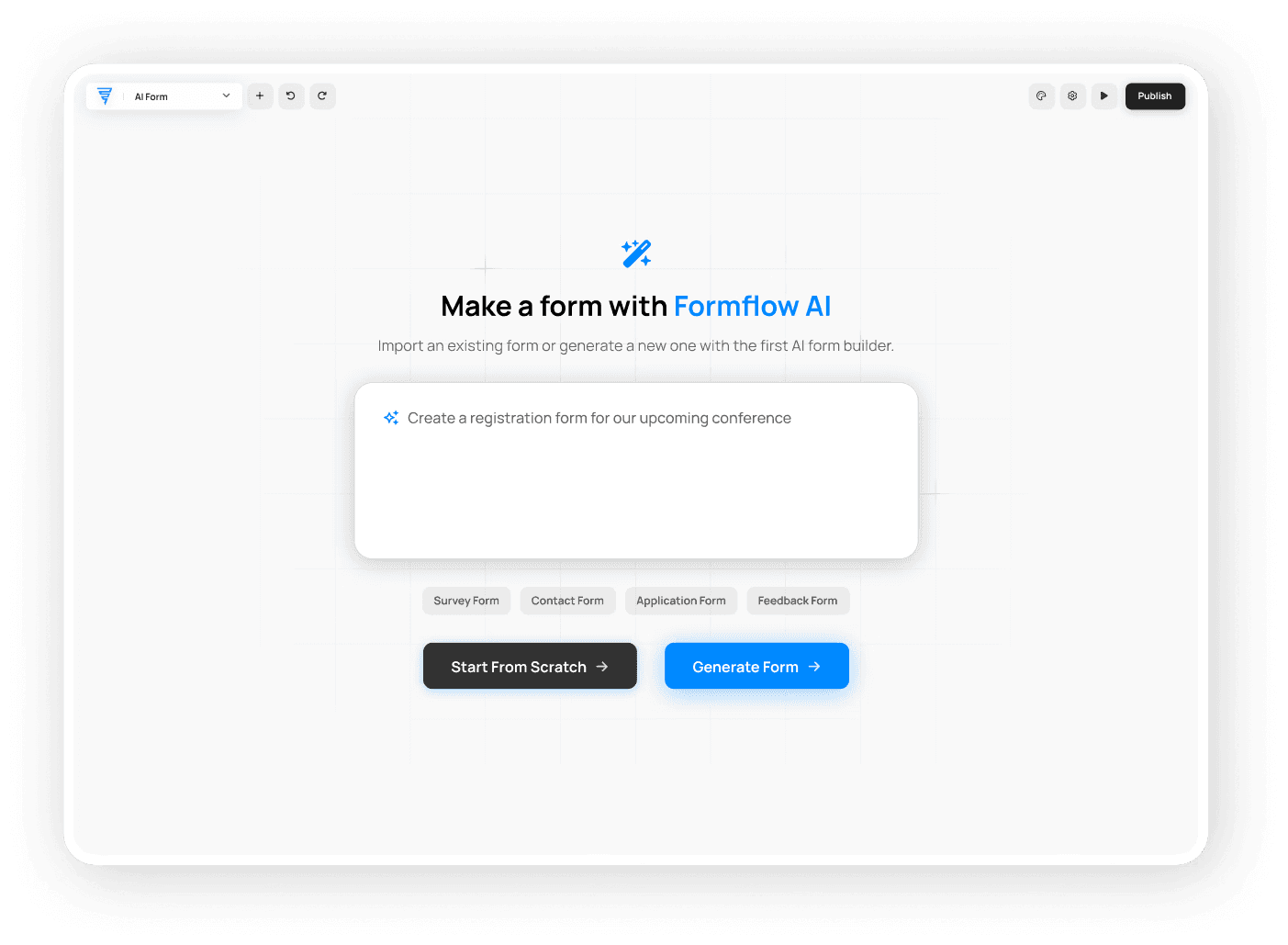
Step 1

Enter your prompt

Ask Formflow Copilot to create a form for you. Begin the form-building process with one simple inquiry about what you need.

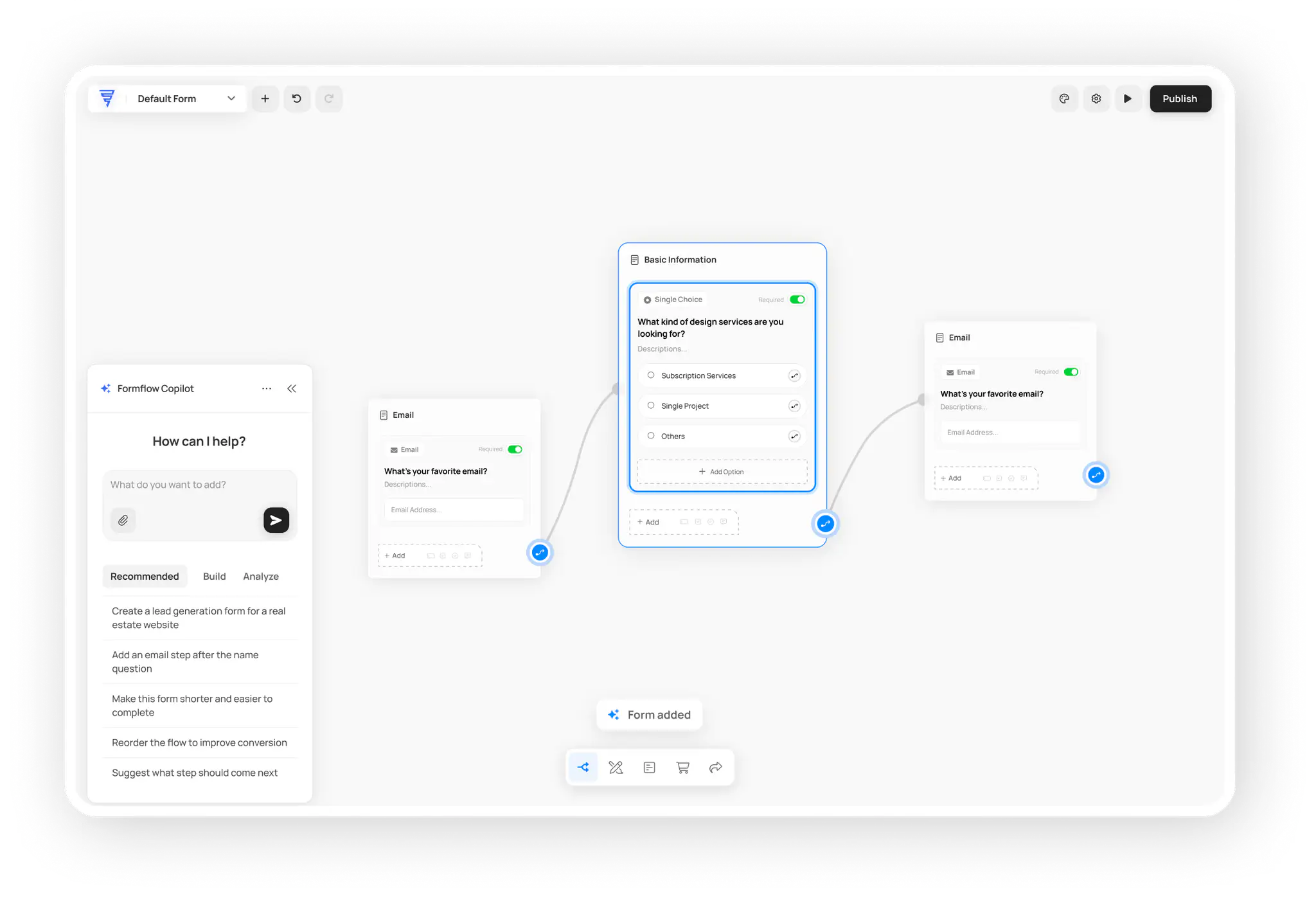
Step 2

Al generates your form

Watch Formflow Copilot use Al to create a fully functional form with smart logic, validation, and professional styling-all in seconds.

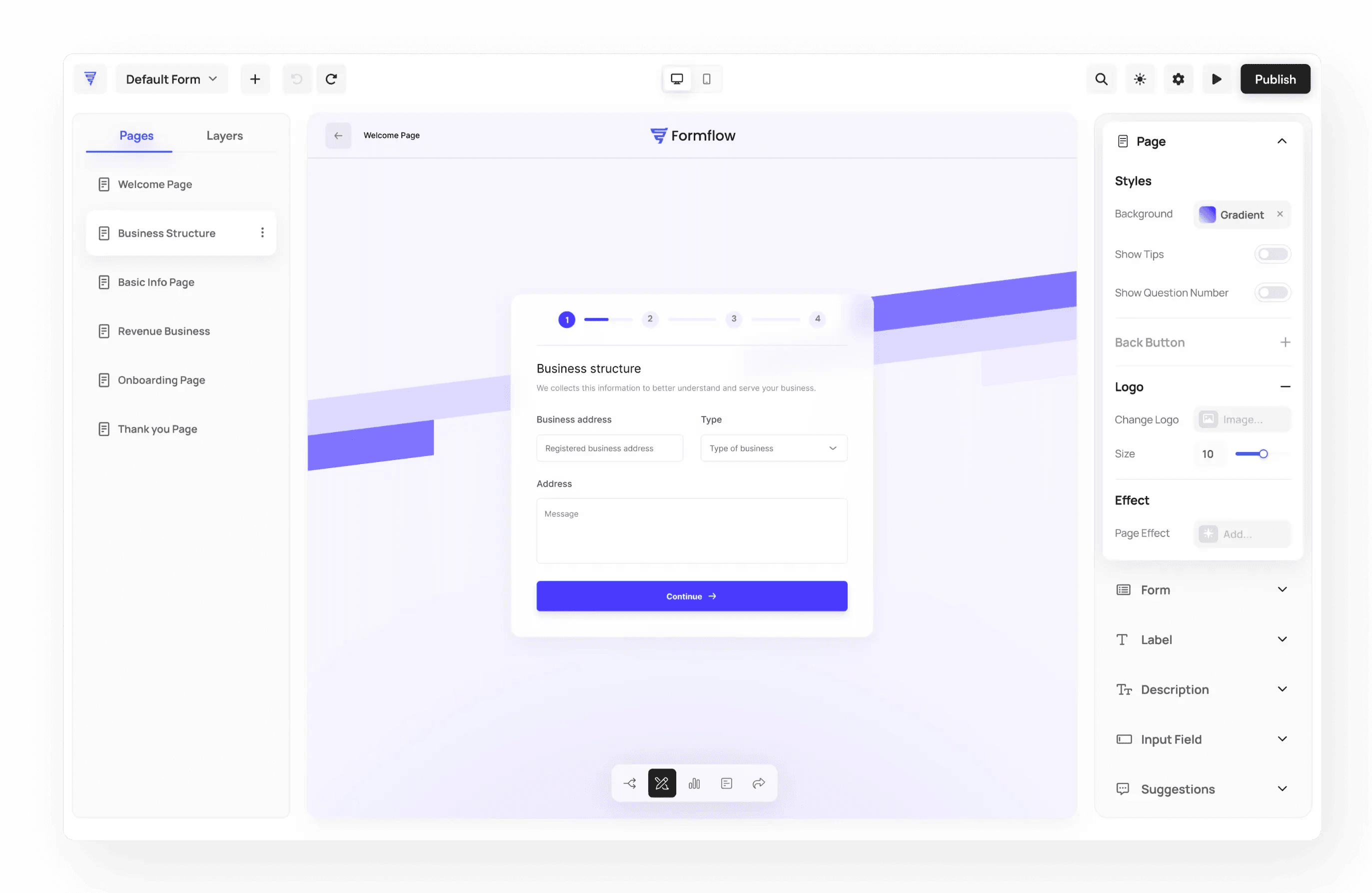
Step 3

Customize and share

Make any content or design changes you need with Formflow Copilot's Al assistance. Share or embed your form to collect responses instantly.

Free forever, no credit card required.

Formflow Copilot

Create any form in seconds with AI‑powered Formflow Copilot.

Step 1

Enter your prompt

Ask Formflow Copilot to create a form for you. Begin the form-building process with one simple inquiry about what you need.

Step 2

Al generates your form

Watch Formflow Copilot use Al to create a fully functional form with smart logic, validation, and professional styling-all in seconds.

Step 3

Customize and share

Make any content or design changes you need with Formflow Copilot's Al assistance. Share or embed your form to collect responses instantly.

Free forever, no credit card required.

Formflow Copilot

Create any form in seconds with AI‑powered Formflow Copilot.

Step 1

Enter your prompt

Ask Formflow Copilot to create a form for you. Begin the form-building process with one simple inquiry about what you need.

Step 2

Al generates your form

Watch Formflow Copilot use Al to create a fully functional form with smart logic, validation, and professional styling-all in seconds.

Step 3

Customize and share

Make any content or design changes you need with Formflow Copilot's Al assistance. Share or embed your form to collect responses instantly.

Free forever, no credit card required.

Features

Features

Features

Everything Else You Need to Create Online Forms

Thousands of creators, marketers, and businesses trust Formflow to build better forms, faster.

Join 5,000+ businesses already capturing better leads*

Join 5,000+ businesses already capturing better leads*

Join 5,000+ businesses already capturing better leads*

*Based on customer and user data as of the 19th of September 2025.

FAQs

FAQs

FAQs

We’ve got the answers

How does AI form builder work?

AI form builders use artificial intelligence to generate forms from text descriptions. You describe what you need, and the AI creates fields, layouts, and logic. Formflow Copilot analyzes your prompt and generates a complete, functional form with validation and styling in seconds. No coding or manual field creation required.

Can I customize forms generated by AI form builder?

Yes, AI-generated forms are fully customizable. You can edit fields, modify design elements, add custom logic, and adjust styling to match your brand. Formflow Copilot's AI editor lets you make changes through prompts or manual editing. Customize colors, fonts, buttons, and form flow to meet your specific requirements.

Is AI form builder free to use?

Many AI form builders offer free plans with basic features. Formflow provides a free forever plan with up to 25 submissions per month. Paid plans unlock advanced features like unlimited submissions, custom branding, and integrations. Check each platform's pricing to find the best fit for your needs.

What types of forms can I create with AI form builder?

AI form builders can create various form types including contact forms, surveys, quizzes, registration forms, feedback forms, and application forms. The AI understands context and generates appropriate fields based on your description. You can create forms for lead generation, event registration, customer feedback, and more.

Do AI-generated forms work on mobile devices?

Yes, forms created with AI form builders are mobile-responsive by default. They automatically adapt to different screen sizes, ensuring a seamless experience on smartphones, tablets, and desktops. The AI generates forms with mobile-first design principles, so your forms look and function perfectly on all devices.

How does AI form builder work?

AI form builders use artificial intelligence to generate forms from text descriptions. You describe what you need, and the AI creates fields, layouts, and logic. Formflow Copilot analyzes your prompt and generates a complete, functional form with validation and styling in seconds. No coding or manual field creation required.

Can I customize forms generated by AI form builder?

Yes, AI-generated forms are fully customizable. You can edit fields, modify design elements, add custom logic, and adjust styling to match your brand. Formflow Copilot's AI editor lets you make changes through prompts or manual editing. Customize colors, fonts, buttons, and form flow to meet your specific requirements.

Is AI form builder free to use?

Many AI form builders offer free plans with basic features. Formflow provides a free forever plan with up to 25 submissions per month. Paid plans unlock advanced features like unlimited submissions, custom branding, and integrations. Check each platform's pricing to find the best fit for your needs.

What types of forms can I create with AI form builder?

AI form builders can create various form types including contact forms, surveys, quizzes, registration forms, feedback forms, and application forms. The AI understands context and generates appropriate fields based on your description. You can create forms for lead generation, event registration, customer feedback, and more.

Do AI-generated forms work on mobile devices?

Yes, forms created with AI form builders are mobile-responsive by default. They automatically adapt to different screen sizes, ensuring a seamless experience on smartphones, tablets, and desktops. The AI generates forms with mobile-first design principles, so your forms look and function perfectly on all devices.

How does AI form builder work?

AI form builders use artificial intelligence to generate forms from text descriptions. You describe what you need, and the AI creates fields, layouts, and logic. Formflow Copilot analyzes your prompt and generates a complete, functional form with validation and styling in seconds. No coding or manual field creation required.

Can I customize forms generated by AI form builder?

Yes, AI-generated forms are fully customizable. You can edit fields, modify design elements, add custom logic, and adjust styling to match your brand. Formflow Copilot's AI editor lets you make changes through prompts or manual editing. Customize colors, fonts, buttons, and form flow to meet your specific requirements.

Is AI form builder free to use?

Many AI form builders offer free plans with basic features. Formflow provides a free forever plan with up to 25 submissions per month. Paid plans unlock advanced features like unlimited submissions, custom branding, and integrations. Check each platform's pricing to find the best fit for your needs.

What types of forms can I create with AI form builder?

AI form builders can create various form types including contact forms, surveys, quizzes, registration forms, feedback forms, and application forms. The AI understands context and generates appropriate fields based on your description. You can create forms for lead generation, event registration, customer feedback, and more.

Do AI-generated forms work on mobile devices?

Yes, forms created with AI form builders are mobile-responsive by default. They automatically adapt to different screen sizes, ensuring a seamless experience on smartphones, tablets, and desktops. The AI generates forms with mobile-first design principles, so your forms look and function perfectly on all devices.