Preventing Survey Fatigue to Improve Customer Satisfaction
Published Date: Jun 27, 2025

Key Takeaways
Design with purpose – Prevent fatigue by crafting short, relevant surveys that respect the respondent’s time and avoid repetitive questions.
Time it right – Space out survey requests and trigger them around key customer interactions to keep engagement high and responses meaningful.
Show impact and personalize – Let respondents see how their feedback is used and tailor questions to their experiences to build trust and reduce dropouts.
When was the last time you truly enjoyed filling out a survey?
Chances are, you didn’t, and your customers feel the same. Survey fatigue quietly lowers response rates, weakens data, and erodes trust. But the good news? It’s preventable.
According to the U.S. Census Bureau, survey participation burden is one of the leading concerns in public data collection, where balancing frequency and quality is essential to avoid fatigue and preserve response accuracy.
What is survey fatigue?
Survey fatigue is when people get tired of being asked to take surveys. It leads to lower response rates, incomplete answers, or skipped surveys entirely.
This type of fatigue often arises from receiving too many survey invitations or being presented with long, repetitive questionnaires. When customers experience survey fatigue, it directly impacts the quality of the survey data you collect, and more importantly, it harms the overall customer experience and increases survey completion challenges.
To prevent survey fatigue and improve survey response rates, surveys must be designed to be brief, relevant, and respectful of the respondent’s time.
What is survey fatigue?
Survey fatigue is when people get tired of being asked to take surveys. It leads to lower response rates, incomplete answers, or skipped surveys.
This type of fatigue often arises from receiving too many survey invitations or being presented with long, repetitive questionnaires. When customers experience survey fatigue, it directly impacts the quality of the data you collect, and more importantly, it harms the overall customer experience.
To prevent this, surveys must be designed to be brief, relevant, and respectful of the respondent’s time.
The 2 types of survey fatigue
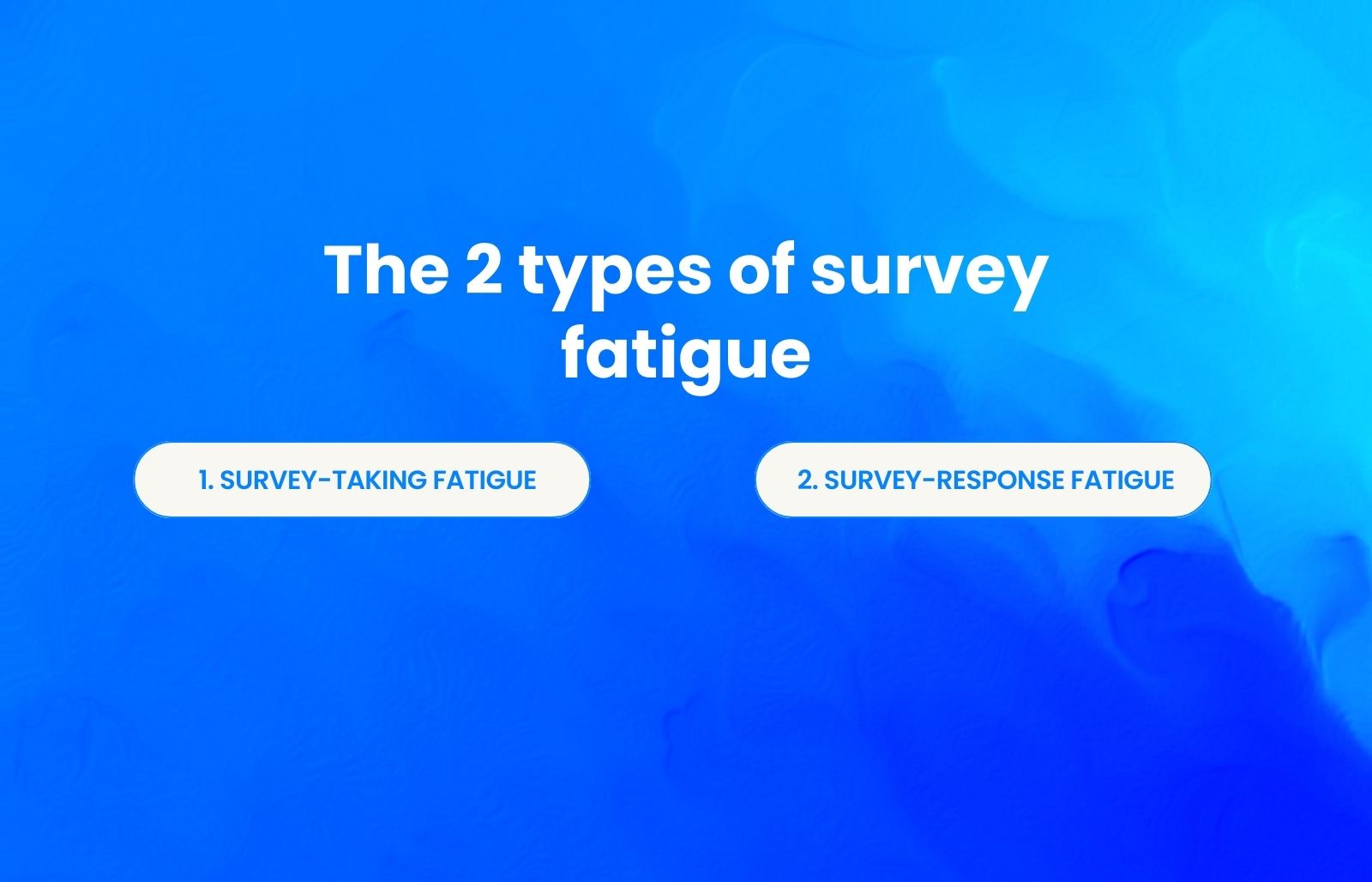
Understanding when survey fatigue sets in helps you address it more effectively and improve survey completion rates:
Survey-taking fatigue occurs when respondents face an overwhelming number of survey requests from a business. For example, if customers interact with a business once a week but receive feedback requests daily, they are likely to stop participating in future surveys altogether, directly increasing your survey abandonment rate.
Survey-response fatigue describes a situation where participants lose interest in a survey midway through, contributing to low survey completion rates. This drop in willingness to respond could be a result of too many questions, open-ended questions that require excessive effort, or poor survey design that feels exhausting to complete.
How to prevent survey fatigue
Survey fatigue happens when respondents become tired of answering questions, often due to repetitive or overly long surveys. This directly leads to higher rates of non-completion and increased survey abandonment,, reducing both the quality and quantity of feedback.
To reduce survey abandonment and improve customer satisfaction, your surveys must be short, relevant, and easy to complete. Even the length of a survey can be a deciding factor, surveys with over 20 questions see three times the dropout rate. A poor survey experience can lead to survey abandonment, damaging trust and preventing you from collecting actionable insights.
Here are 10 proven tactics to reduce survey fatigue and increase response rates:
Keep surveys short and focused
Stick to under 10 questions when possible. Surveys with more than 20 questions have a threefold higher rate of non-completion.Surveys should take no more than five minutes to complete. Test your surveys on team members first to gauge completion time, and always communicate the expected duration to respondents.
Send surveys at the right frequency
Multiply how often your customers interact with your business by two, if they interact monthly, survey every two months. For transactional feedback (post-purchase), you can survey more frequently but keep surveys very brief (under 5 questions). Post-purchase surveys benefit from being sent within 24 hours while the experience is fresh.
Use clear, simple language
Confusing or complex wording makes users more likely to abandon your survey. Ask direct, clearly worded questions free from ambiguous language. Avoid acronyms and business jargon without explanation. When respondents have to think hard about what a question means, they're exponentially more likely to abandon.
Ask one question at a time
Avoid double-barreled questions that ask two things at once. For example, "How easy was it to find customer support, and did they successfully resolve your issue?" is likely to confuse participants. Ask about one aspect of the customer experience at a time.
Limit open-ended questions
Too many open-ended responses leave users feeling tired. Include just one or two where rich detail is most needed. Most of your survey should use multiple-choice, rating scales, or clickable icons. Mixed question types require less cognitive load and keep respondents engaged.
Use consistent rating scales
Consistency is critical to preventing survey fatigue. If you use a five-point Likert scale for one question, use it for the others to avoid confusion. Maintain the same order of response options throughout your survey.
Personalize the survey
Tailor surveys based on the respondent's recent interaction or purchase. Use audience segmentation and conditional skip logic to ensure respondents only see questions that apply to them. Personalized surveys reduce abandonment significantly, up to 48% improvement in some cases.
Match survey design to customer journey
The order and selection of questions should follow the customer journey logically. It doesn't make sense to ask customers about the registration process after querying them on post-purchase thoughts. Surveys with clear, logical flow help reduce survey abandonment.
Show the value of feedback
Let respondents know how their input made a difference. Create a feedback loop where you respond to customers with updates and improvements based on their suggestions. When people see that their effort led to real changes, they're more likely to engage in future surveys.
10. Set clear expectations and purpose
Clearly communicate why you're collecting feedback and how it will help. Explain upfront how long the survey will take and what you'll do with their feedback. This transparency builds trust and encourages participation.
By designing better surveys using these best practices and paying close attention to survey length and frequency, you can significantly reduce dropouts and improve data quality.
Top causes of survey fatigue
Survey fatigue builds gradually and often results from overlooked design flaws or excessive outreach. Understanding the key causes of survey fatigue is essential for improving response rates.
Too many survey requests
Frequent prompts after every visit or purchase cause overload and directly increase survey abandonment rates. When customers interact with your business monthly, it's optimal to send surveys no more than every two months. Studies show that survey frequency significantly impacts whether someone will complete an online survey.
Long, exhausting surveys
Surveys with over 20 questions have a threefold higher rate of non-completion compared to shorter ones. Even increasing survey length from three to four questions can drop completion rates by 18%.
Repetitive or poorly designed questions
Asking the same thing in different ways makes surveys feel tedious. Questions that ask two things at once like "How easy was it to find customer support, and did they resolve your issue?" confuse respondents and increase survey abandonment.
Too many open-ended questions
These take significant effort and feel tiring when overused. Respondents prefer mixed question types, multiple choice and rating scales require less cognitive load than free-response fields.
No visible outcome or follow-up
If feedback seems ignored or respondents never see how their input led to change, motivation drops sharply. This was among the top four reasons customers cited for abandoning surveys.
Generic, impersonal templates
One-size-fits-all surveys feel irrelevant. When customers don't recognize how questions apply to their specific situation, they're less motivated to engage.
Keep surveys short and focused
Stick to under 10 questions when possible. Surveys with more than 20 questions have a threefold higher rate of non-completion. Surveys should take no more than five minutes to complete. Test your surveys on team members first to gauge completion time, and always communicate the expected duration to respondents.
Why survey fatigue hurts your brand and data quality?
Survey fatigue erodes trust, weakens insights, and discourages future engagement. High survey abandonment rates directly impact data quality and customer satisfaction. When you fail to address survey fatigue, you lose the ability to collect actionable feedback.
How to spot survey fatigue
Survey fatigue may not be immediately visible, but it leaves clear traces in your data, behavior patterns.Identifying it early is essential to prevent further damage.
Metrics to watch:
Steady decline in response rates over time
Rising survey abandonment rates
Shorter completion times (rushed responses)
Decreased open rates on survey invitations
Higher dropout rates on specific questions
Behavioral signs
Incomplete or rushed answers
Generic or minimal responses to open-ended questions
One-word responses where detailed feedback is expected
Respondents selecting the middle answer on every scale
Repeated complaints about "too many surveys"
Direct requests to stop receiving surveys
How to combat survey fatigue
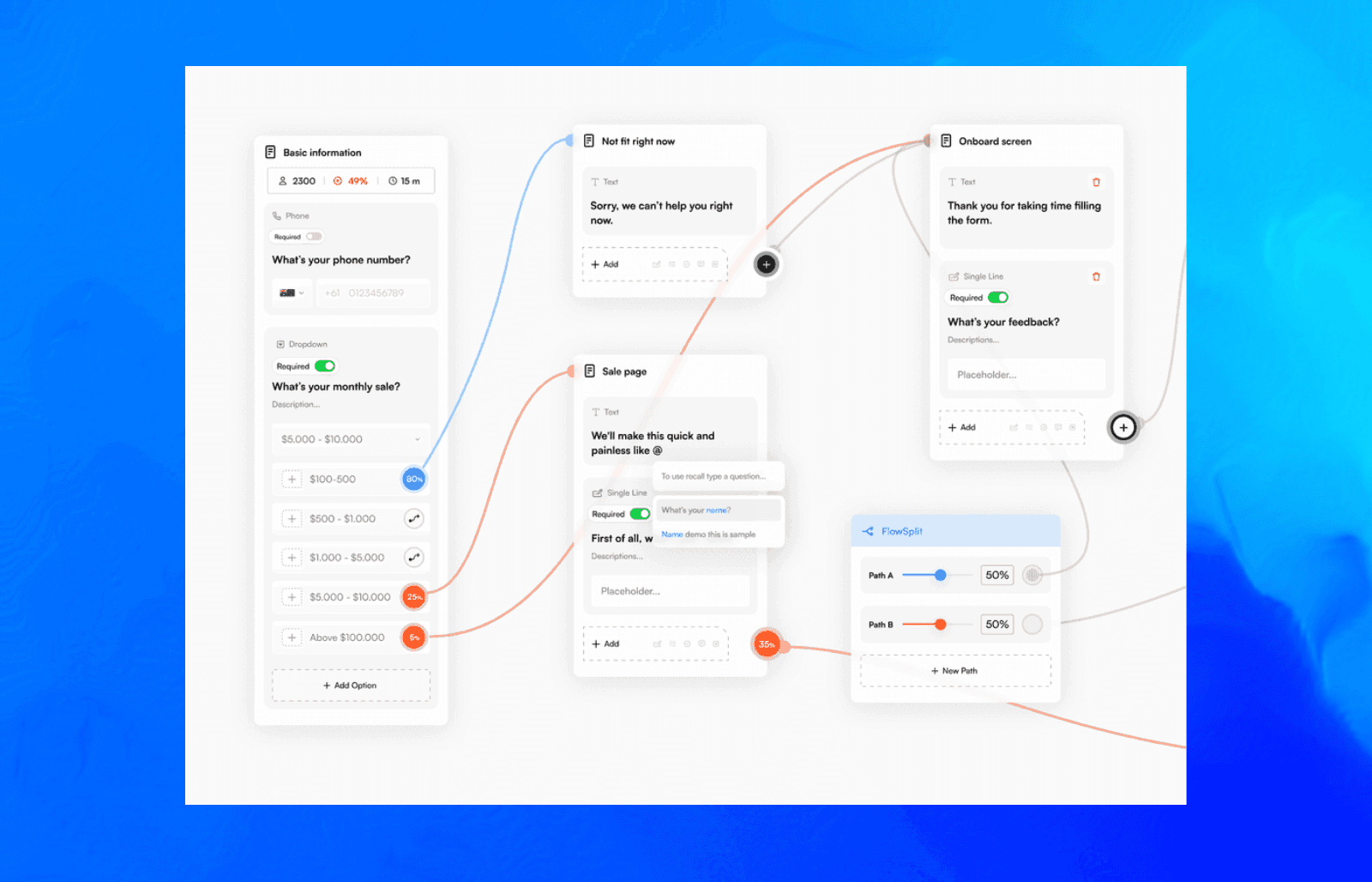
Creating smarter, fatigue-free surveys doesn’t have to start from scratch. With the right tools and ready-to-use resources, you can move faster, stay consistent, and scale what works.
Formflow offers a growing library of:
Customizable survey templates help you start with the right structure for your audience, minimizing unnecessary questions and improving clarity from the beginning.
Conditional logic ensures respondents only see questions that are relevant to them, reducing cognitive load and keeping surveys concise.
In-flow analytics let you track drop-off points and optimize survey length and pacing in real time.
Visual workflow builder allows you to streamline the survey experience, ensuring a smooth and intuitive path from start to finish.
FlowSplit A/B testing enables experimentation with different versions of your surveys to find what keeps engagement high and fatigue low.
Survey fatigue happens when forms feel too long, too repetitive, or too impersonal. Formflow helps ease that burden by making it easy to build forms that feel clear, relevant, and respectful of people’s time.
Choosing the right types of survey questions from the start also supports this personalization, helping ensure each survey feels intuitive rather than burdensome.
Frequently Asked Questions
How often should I send surveys to avoid fatigue and keep responses meaningful?
It’s best to survey every 2 months or less frequently, depending on the audience and purpose. Over-surveying directly reduces completion rates and response quality.
What's the ideal survey length to minimize fatigue?
Most respondents prefer surveys taking no more than 5 minutes with fewer than 10 questions. Surveys with over 20 questions see three times the dropout rate. However, the ideal length varies by survey type, transactional surveys can be slightly longer (8-10 questions), while relationship surveys should be very short (5-7 questions).
How can I tell if my audience is experiencing survey fatigue?
Watch for declining response rates, rising abandonment, shorter completion times (rushed responses), and lower-quality answers. Direct feedback mentioning "too many surveys" or survey overload is also a key indicator. Track these metrics weekly or monthly to catch trends early.