Numeric Scoring allows you to assign score values to user selections inside Dropdown and Multiple Choice nodes. These values can then be used in logic, such as Conditional Splits, to personalize outcomes or route users dynamically based on their total score.
Accessing Numeric Scoring
To open the scoring interface, click the green scoring button located in the top-right corner of the Canvas navigation bar.

This will open the Scoring Configuration menu.
To enable Numeric Scoring or Custom Scoring, toggle the feature you wish to activate.
You can use one or both scoring systems at the same time.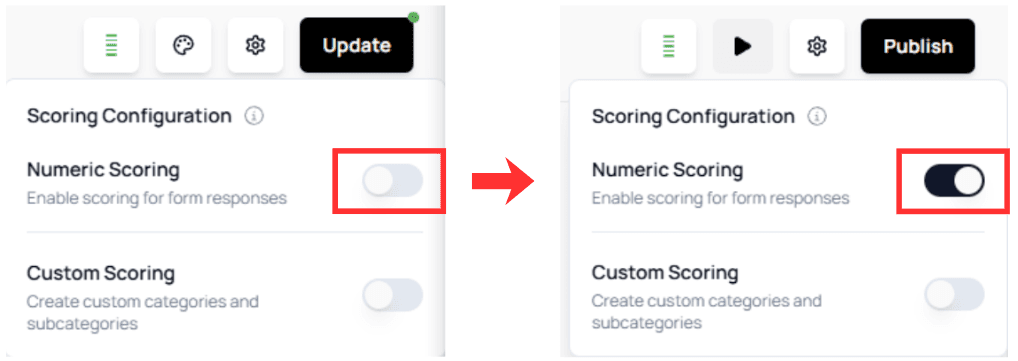
💡 Tip:
Numeric Scoring is ideal for quizzes, assessments, diagnostics, or personality-type outcomes.How Numeric Scoring Works
Numeric Scoring applies to:
- Dropdown nodes
- Multiple Choice nodes
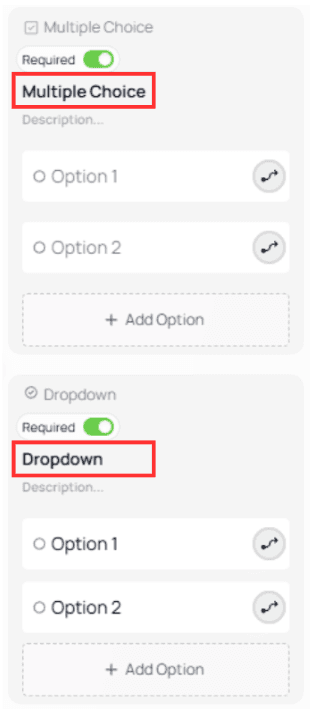
To see it in action, first add options to your nodes.
Example:
Without scoring:
With Numeric Scoring enabled:
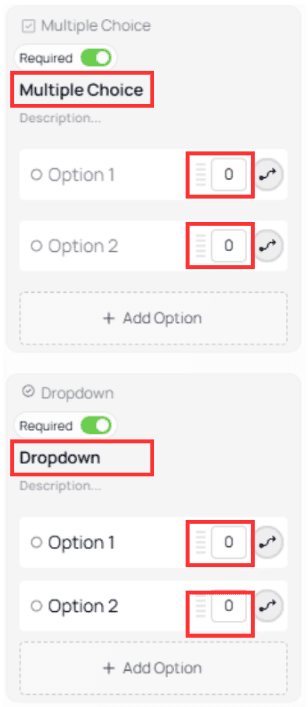
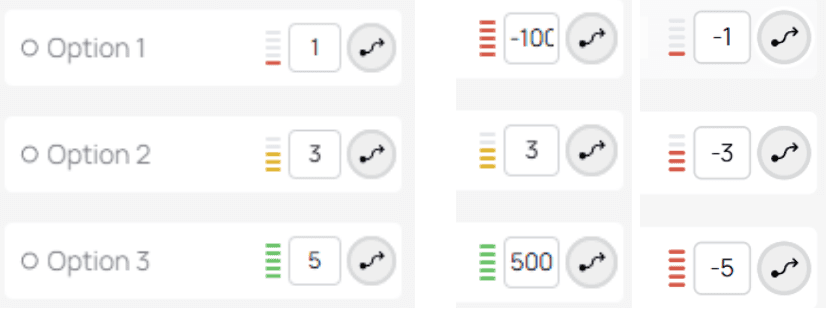
When scoring is active, each option displays a score field.
Assigning Score Values
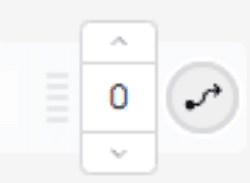
Hover over the score field to:
Type a custom value manually
Use the + / – buttons to increase or decrease the score by 1
Valid score values
You may assign:
Values within 1–5
Values higher or lower than that range
Negative values
⚠️ Note:
Negative values are useful for penalty scoring or advanced logic systems.Practical Example

In this example:
The user answers two questions.
Each selected option contributes a numeric score.
A Conditional Split evaluates the Total Score and routes the user to a message that matches their responses.
Understanding Total Score
Inside a Conditional Split rule, you can target Total Score.
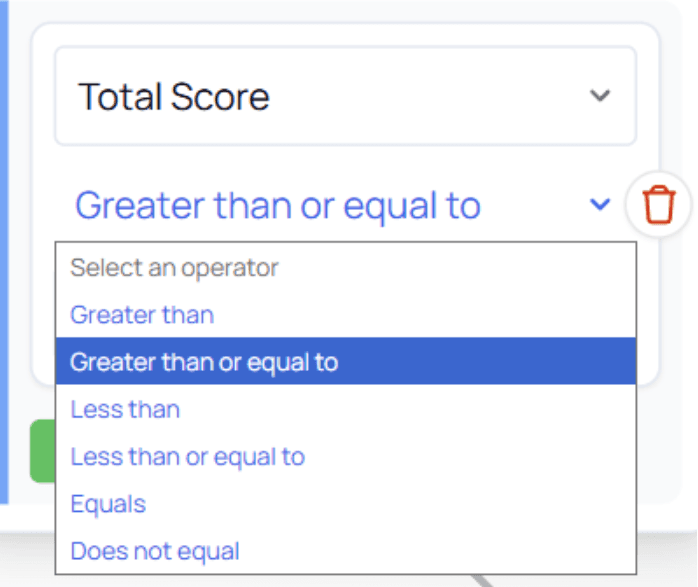
Total Score represents: The sum of all numeric scoring values accumulated up to that point in the form.
This means the location of your Conditional Split matters.
For example:

In this case, the Conditional Split appears before any scoring questions.
Because the user has not yet accumulated any score:Total Score = 0
The split will always follow the Default Path
⚠️ Important:
Always place Conditional Splits after the questions that contribute score values if you want to evaluate Total Score correctly.